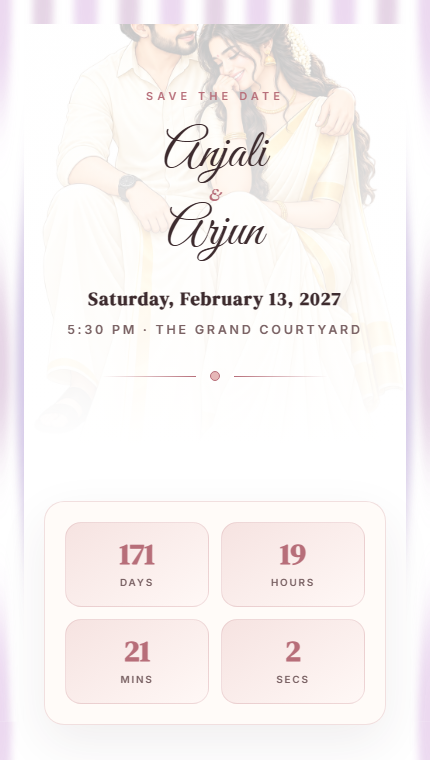
Creating a digital wedding invitation is simple, fast, and free. Instead of printing and mailing paper invitations, you can create a beautiful wedding website that includes everything your guests need — and share it with a single link.
Step 1: Choose a Template
Start by browsing the available wedding invitation templates. Pick one that matches your celebration style — whether it's classic and elegant, modern and minimal, or colorful and festive.
Step 2: Add Your Names and Date
Enter the couple's names and the wedding date. This information appears prominently on your invitation and powers the countdown timer.
Step 3: Include Event Details
Add all your wedding events — Mehendi, Sangeet, Wedding Ceremony, Reception — with their respective dates, times, and venues. You can include multiple events in a beautiful timeline.
Step 4: Add Venue Information
Include the venue name, address, and a Google Maps link so guests can navigate easily. This is especially helpful for destination weddings or unfamiliar venues.
Step 5: Upload Photos
Add a couple photo for the hero section and a photo gallery to showcase your journey together. Photos make your invitation personal and memorable.
Step 6: Write Your Story
Share how you met, your proposal story, or a message to your guests. This personal touch makes your invitation feel warm and special.
Step 7: Preview and Publish
Preview your invitation to make sure everything looks perfect. When you're happy, publish it to get your unique shareable link.
Step 8: Share with Guests
Share your invitation link via WhatsApp, SMS, email, or social media. Guests can open it on any device — no app download required.