Wedding Invitations
Create Beautiful Digital Wedding Invitations
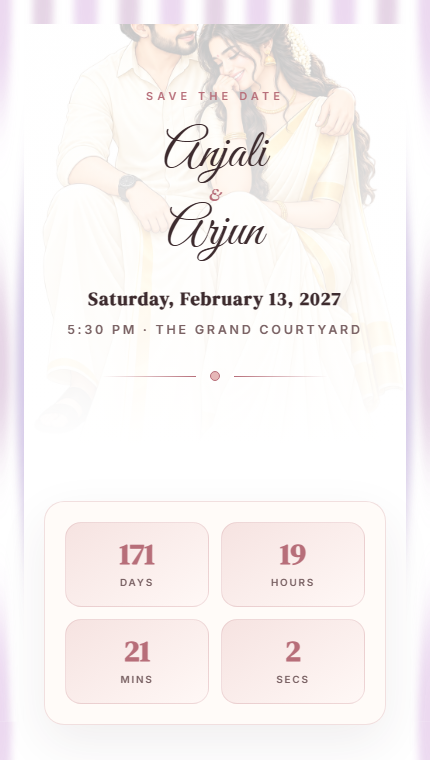
Design and share stunning wedding invitation websites with OhMyDay. Choose a template, add your details, and send one beautiful link to all your guests.
Why Choose Digital Wedding Invitations?
Beautiful Templates
Choose from elegant, modern, and traditional wedding invitation designs crafted for every style.
Shareable Link
Get a unique URL your guests can open on any device — no app download required.
Photo Gallery
Add your favorite couple photos to create a stunning visual story for your guests.
Venue & Directions
Include venue details with map links so guests can find your celebration easily.
Event Timeline
Showcase all your wedding events — Mehendi, Sangeet, Reception — in one beautiful timeline.
RSVP Collection
Collect guest responses directly through your invitation page.
How to Create Your Wedding Invitation
Choose a Template
Pick from wedding-specific designs that match your celebration style.
Add Your Details
Enter names, dates, venue, events, photos, and your love story.
Share with Guests
Publish your invitation and share the link via WhatsApp, SMS, or email.
Everything Your Wedding Invitation Needs
No App Required
Guests open your invitation directly in their browser.
Works on All Devices
Perfectly designed for mobile, tablet, and desktop.
Instant Updates
Edit your invitation anytime — changes reflect immediately.
Free to Start
Create your wedding invitation website for free.
WhatsApp Ready
Share your invitation link directly on WhatsApp.
Photo Gallery
Showcase your journey together with a beautiful photo gallery.
Event Timeline
Display all wedding events in an elegant timeline.
Venue with Map
Include venue details with integrated map directions.
Frequently Asked Questions
What is a digital wedding invitation?
A digital wedding invitation is an online invitation website that you can share with guests via a link. It includes all your wedding details — names, dates, venue, events, photos, and RSVP — in a beautiful, mobile-friendly format.
Can I create a free wedding invitation?
Yes. OhMyDay lets you create a wedding invitation website for free. Choose a template, add your details, and publish — all at no cost.
Can I share my wedding invitation on WhatsApp?
Absolutely. Once published, you get a shareable link that you can send directly via WhatsApp, SMS, email, or any messaging app.
Do guests need an app to view my invitation?
No. Your guests can view your wedding invitation directly in their phone's browser. No app download is needed.
Can I add multiple wedding events?
Yes. You can add multiple events like Mehendi, Sangeet, Wedding Ceremony, and Reception — all displayed in a beautiful timeline on your invitation page.
Can I add photos to my wedding invitation?
Yes. You can add a couple photo, individual photos, and a photo gallery to your wedding invitation website.
Can guests RSVP through my invitation?
Yes. Your wedding invitation page includes an RSVP section where guests can confirm their attendance.
Can I edit my invitation after publishing?
Yes. You can edit your invitation anytime. Changes are reflected immediately on your published page.
Related
Birthday Invitations
Create birthday invitation websites
Engagement Invitations
Design engagement party invitations
Wedding Templates
Browse all wedding invitation templates
Indian Wedding Invitations
Invitations designed for Indian weddings
How to Create a Digital Wedding Invitation
Step-by-step guide
How to Send Invitations on WhatsApp
WhatsApp sharing guide
Ready to create your invitation?
Choose a template and get started in minutes.
Create Your Wedding Invitation